
💻🤖 Coding: Equip your students with essential 21st-century skills through our coding modules. From basic programming to hands-on robotics, we make learning tech-savvy concepts both fun and accessible.
As an Amazon Associate, I earn from qualifying purchases.
Jump to the Robotics Section
Coding with Scratch: A Comprehensive Approach (Under Construction/will finish uploading the rest of the lessons soon)
In our quest to make coding both fun and educational, we’ve discovered that simply following tutorials to build games isn’t enough for lasting learning. To truly grasp coding concepts, students need a structured approach that builds skills progressively. This unit, structured into 12 detailed lessons, is designed to help students master Scratch by breaking down coding concepts into manageable and engaging activities. Each lesson focuses on a specific aspect of programming, from basic commands to complex interactions, ensuring a deep understanding that goes beyond the screen. As students progress, they’ll apply what they’ve learned in creative projects, solidifying their knowledge and boosting retention. For those interested in game development, links to various game-building tutorials will be provided at the end of the unit, offering additional learning opportunities.
Lesson 1: Introduction to Scratch / Download Lesson 1
Explore the Scratch interface and learn the basics of creating and manipulating sprites.
Lesson 2: Moving Sprites / Download Lesson 2
Lesson 3: Audio and Visual Enhancements / Download Lesson 3
Lesson 4: Basic Animations / Download Lesson 4
Lesson 5: Events Blocks / Download Lesson 5 – I would suggest letting the students experiment after every new event block you introduce to them.
Lesson 6: Conditionals / Download Lesson 6
Lesson 7: Keeping Score and Variables / Download Lesson 7
Robotics
In the Robotics section, all the lessons involve students using various robots, typically through coding. While some robots might be more suitable for specific grade levels, I believe each teacher and group of students is unique, so the decision is best left to the teachers’ discretion.
Some robots will have accompanying lessons in this section. This is because most of these robots have dedicated websites where you can find lessons. If I include a lesson here, it’s likely because it isn’t available on the robot’s website. The lessons provided aim to engage students in coding the robots while also incorporating elements of the engineering design process.
Dash Robot by Wonder Workshop
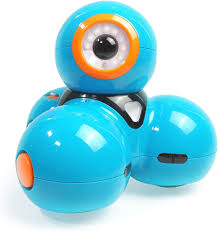
Dash is a popular educational robot designed to help children learn coding and robotics in a fun and interactive way. It can be programmed to move, light up, make sounds, and respond to various commands using a variety of apps compatible with both tablets and smartphones. Dash is often used in elementary classrooms to teach coding concepts, problem-solving, and the basics of robotics.
Dash Quest: Navigate and Score! / Download Lesson
In “Dash Quest: Navigate and Score!”, students will engage in a fun and interactive coding challenge using the Dash robot. Participants will navigate Dash through an arena to score points by driving over numbered papers. This beginner-friendly activity promotes teamwork, strategic thinking, and a basic understanding of coding principles.
Bulldozer Bonanza with Dash / Download Lesson
In Bulldozer Bonanza students will design and build a bulldozer blade for their Dash robots using Lego attachments. The objective is to gather unifix cubes spread across a designated section into a taped-off square. This activity incorporates the engineering design process, allowing students to plan, build, test, and adjust their designs in a fun and interactive way.
Dash Battle: Historical Showdown / Download Lesson
In “Dash Battle: Historical Showdown,” students will learn about a significant historical battle(optional) and then participate in an exciting Dash robot activity. They will work in teams to build cup structures and use Dash robots with launching attachments to knock down the opposing team’s structures. This activity combines history, coding, and teamwork in a fun and interactive way.
Sphero Bolt and Shero Mini
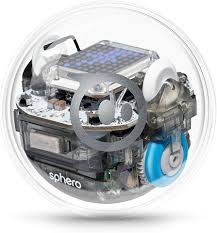
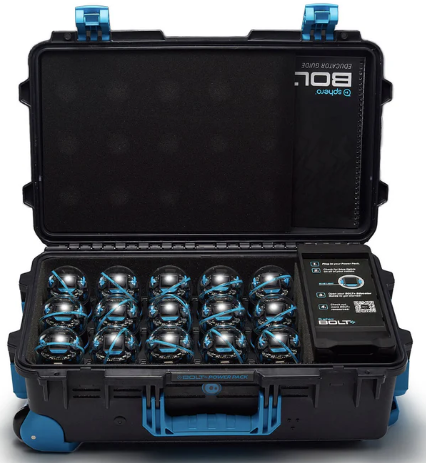
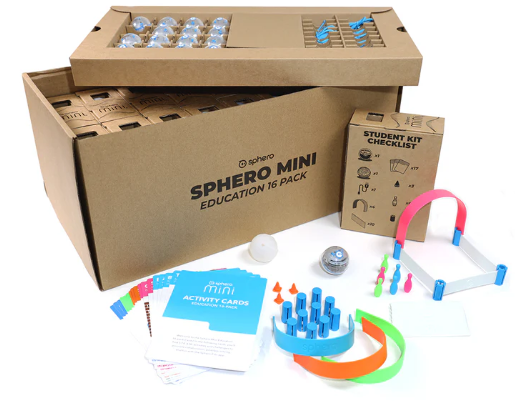
The Sphero Bolt is a spherical robot designed for advanced coding and STEM education. It features an 8×8 LED matrix that can display data and graphics, infrared communication to interact with other Bolts, and sensors including a compass, light sensor, gyroscope, and accelerometer. It’s controlled via the Sphero Edu app, which allows for programming through drawing, block-based coding (Scratch), and JavaScript.
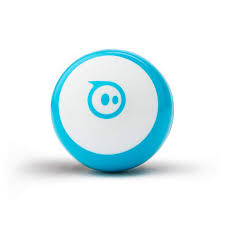
The Sphero Mini is a smaller, more compact version of the Sphero robot, designed for beginners and casual users. It includes a gyroscope, accelerometer, and LED lights. It’s controlled via the Sphero Play app for driving games and the Sphero Edu app for programming with drawing, block-based coding, and JavaScript.
Sphero Mini Golf Madness / Download Lesson
In “Sphero Mini Golf Madness,” students will use either the Sphero Bolt or Sphero Mini to design and code their own mini putt-putt course. This activity involves basic block coding to drive the robots and requires students to go through the engineering design process. Teams will create cardboard courses, code their robots to navigate to the “hole,” and iterate on their designs to improve performance. This project promotes creativity, collaboration, and problem-solving skills.
Innovator’s Challenge: Sphero Course Design / Download Lesson
In “Innovator’s Challenge: Sphero Course Design,” students will use either Kinazium Course Builder or Legos to create obstacle courses for their Sphero Bolts or Mini robots. After designing and testing their own courses, students will rotate to other groups’ courses to test and innovate by adding new elements. This activity encourages creativity, problem-solving, and helps students understand the role of an “innovator.”
Shero Indi
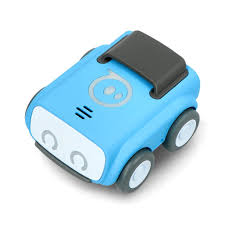
Sphero Indi is an innovative robotic car designed to introduce young learners to the basics of programming and computational thinking. With its color-coded tiles, students can create sequences and pathways that guide Indi through various challenges and tasks. The hands-on, screen-free activities are perfect for engaging students in interactive learning.
In my classroom, I utilize the teacher booklet and task cards that accompanies the Sphero Indi class pack. This comprehensive guide provides structured lessons, activities, and challenges that align with curriculum standards, making it easier to integrate Indi into our STEM curriculum and ensure a meaningful learning experience for all students.
Code and Go Mouse Robot by Learning Resources
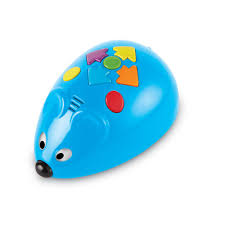
The Code & Go Mouse Robot is an educational toy designed for young learners, typically in the early elementary grades, to introduce them to basic coding concepts. The robot mouse can be programmed with simple commands to navigate through mazes and reach a cheese-shaped target. It uses directional commands such as forward, backward, left turn, and right turn, which are inputted through buttons on the mouse. This tool is often used to teach sequencing, problem-solving, and critical thinking skills in a fun and interactive way. I usually use the task cards that accompany the robot when bought.
LEGO Spike Prime and Essential / Website with Lessons (Make sure to click on the correct Product in the upper left tab)
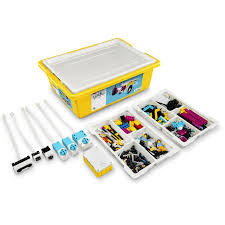
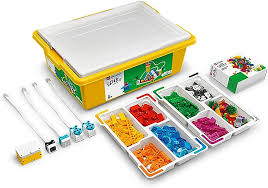
LEGO Spike Prime is a versatile educational kit designed to engage students in hands-on learning through building and programming robots. It combines colorful LEGO building elements, easy-to-use hardware, and an intuitive coding platform powered by Scratch. Spike Prime is ideal for teaching complex STEAM concepts such as engineering, computer science, and computational thinking. I primarily use the LEGO Education website to access a wide range of structured lessons and activities that align with curriculum standards and help students develop essential skills.
LEGO Spike Essential is tailored for younger students and serves as an excellent introduction to robotics and coding. This kit includes simplified building components and user-friendly software that makes learning accessible and enjoyable. Spike Essential focuses on fostering creativity, problem-solving, and collaboration through engaging projects and stories. Similar to Spike Prime, I utilize the LEGO Education website to find well-crafted lessons that guide students through the fundamentals of STEAM education in a fun and interactive way.
 The Mad STEM Lab